
Facing iPhone lockout can be a daunting experience, particularly when you urgently need access to your data. This can be just as common as forgetting a passcode or entering the wrong passcode several times, or seeing the message “iPhone Unavailable” or “Security Lockout”.
Whether you’re looking for how to unlock iPhone, this comprehensive guide will walk you through all the available methods, explained in an easy to follow and organized manner. You will be able to know how to unlock iPhone if you forgot passcode, how to unlock iPhone passcode without computer, and how to unlock your device safely without compromising your data security or privacy.
Table of Contents
Why Your iPhone Gets Locked or Disabled
Apple builds iPhones with high-end security devices to insure user data. If several wrong passcode attempts are made, the device automatically locks up. This is not a mistake, but a safeguard.
After several failed attempts, your iPhone may display messages such as “iPhone Unavailable” or “Security Lockout.” Now once more it blocks any further efforts and a reset is necessary to re-enter the system. This will prevent someone from being able to hack into your phone if they have it.
This problem occurs when users forget a passcode they recently changed or when the wrong passcode is entered by someone else many times.
Important Things to Understand Before Unlocking an iPhone
To unlock any method, it is essential to know how Apple’s system works. In contrast to older iPhones, there’s no way for the passcode to be bypassed with modern iPhones. It is impossible to unlock an iPhone without the passcode or reset it.
That implies that, if you use most unlocking techniques, you will lose your data. If you have backed up your device before, using iCloud or computer, however, you can restore everything thereafter.
The other thing that’s required is your Apple ID. This account is a verification of ownership by Apple. It will make unlocking much harder, and possibly need support intervention to do.
How to Unlock iPhone If You Forgot Passcode
The easiest method to unlock an iPhone is to utilize Recovery Mode with a PC. This is the method that is recommended and is applicable in nearly all scenarios.
Using Recovery Mode to Reset Your iPhone
First of all, you will need to power off your iPhone and link it up to a computer. Once connected, you must put the device into Recovery Mode. This varies by iPhone model, but for most newer iPhones, it’s pressing the volume buttons then holding down the power button for a few seconds.
Your computer will recognize the device and offer to do an update or restore. Selecting “Restore” will wipe off the iPhone and restore the system. This takes about 15 minutes to an hour, depending on your internet connection and the type of device you use.
Your iPhone will restart as a new device and you can set it up again and restore your data, if you have a backup.
Why This Method Works Best
This is a good approach as it eradicates the passcode from the system altogether. It is particularly helpful in the event you looking for how to unlock iPhone if forgot passcode, which works even if the mobile phone is completely disabled.
How to Unlock iPhone Passcode Without Computer
If you don’t have a laptop or PC to use, Apple has an inbuilt solution on the iPhone itself. This is a convenient and easy method.
Using the “Forgot Passcode?” Option
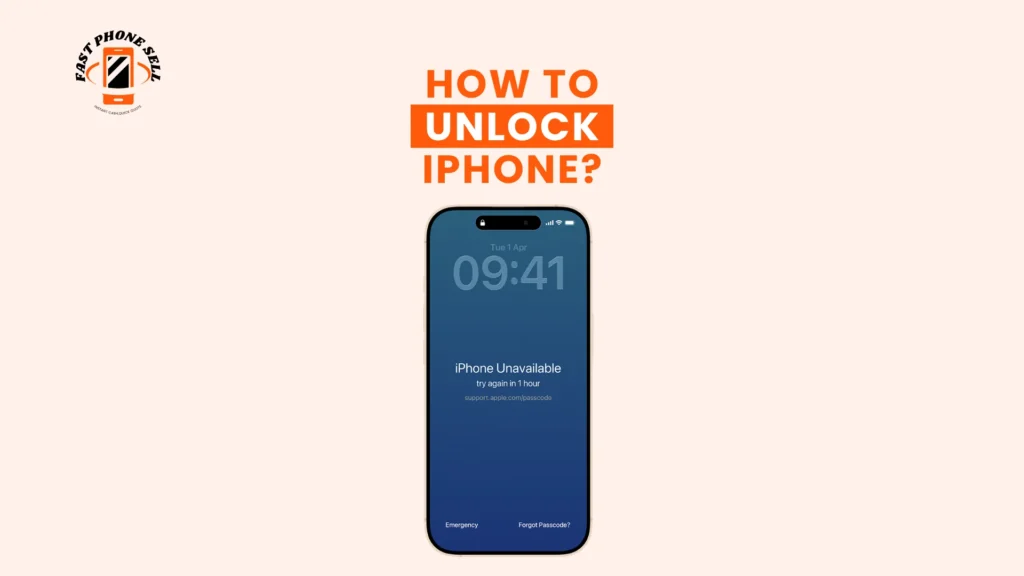
If you enter the wrong passcode several times, your iPhone will eventually show you a ‘Forgot Passcode?’. Clicking on this will take you directly into the reset process.
The user will be prompted to enter his or her Apple ID password followed by the deletion of the iPhone and passcode. It’s simple and no external tool is required.
When This Method Is Most Useful
For those who want to know how to unlock iPhone passcode without computer, this option is perfect for them. It’s a great way to go if you’re travelling or when you don’t have a personal computer.
It does, however, require that you have an internet connection, and keep your Apple ID information handy.
How to Unlock My iPhone If I Forgot My Password Using iCloud
Another good way to do it is to remotely delete your device via iCloud. This feature comes in handy if you’re not able to access your iPhone physically or just like to have everything done online.
Unlocking iPhone via iCloud
You can log in to your Apple account via browser and use the “Find My” feature. You then choose your device and pick the erase device option. This will clear all data, including the passcode and reset the device for reconfiguration.
When This Method Works Best
The method is ideal for people looking for how to unlock my iPhone if I forgot my password. It is hassle-free when the device is equipped with “Find My iPhone” and is online.
Unlocking iPhone Using Previous Passcode
In later versions of iOS, Apple added a handy trick for users to be able to regain access without resetting their devices in some cases.
How the Previous Passcode Feature Works
Apple will accept the old passcode for a limited window of time after you’ve changed yours, if you do not remember it. You can immediately set a new passcode after entering the old passcode.
Why This Feature Is Valuable
This method doesn’t lead to data loss, which is one of the few that doesn’t. It gives a fast and simple solution, but can only be used when the passcode has been changed recently.
What Happens If You Don’t Have Your Apple ID or Password
Forgetting the Apple ID password makes it more difficult to unlock your iPhone. In the case of Apple, it is called “Activation Lock” and is designed to make sure only the rightful owner can access the device.
If this is the case, you might have to attempt the account recovery procedure at Apple or contact their support staff. There is a high chance that you will need to show proof of purchase to show that you own it.
In this case, it is essential to steer clear of third-party unlocking tools that claim to unlock your code and might not deliver on their promises, or may harm your security.
How to Restore Your Data After Unlocking iPhone
Once you have unlocked your iPhone, you need to restore your data. If you have already set up backup, it is a simple process.
At the time of set up, your iPhone will ask you to restore from an iCloud or computer backup. Your applications, photos, contacts and settings will be restored with the right backup.
Unfortunately, when there is no back up, the data cannot be recovered. This is just one reminder of why it’s crucial to back up your device on a regular basis.
Common Mistakes to Avoid When Unlocking an iPhone
Many users unknowingly aggravate the situation by guessing passcodes or by relying on unreliable tools. If the wrong one is entered, the lock time increases and the device may be locked out for good.
The other common error is the failure to use Apple ID credentials. Even if a device has been successfully reset, it may be locked due to Activation Lock if it is not installed.
Even non-official software can be dangerous because it can cause permanent damage to the device or malware.
Final Thoughts
Whether you are a user who depends on their iPhone for everyday use, unlocking it is a key aspect of breaking code.Anyone who uses their iPhone on a regular basis should know how to unlock iPhone. Getting locked out can be stressful, but Apple has several safe and effective methods for getting back in.
Even if you didn’t remember your passcode, Recovery Mode is still the safest way to go. If a computer is not available there is an integrated reset button. If you need to access remotely, iCloud offers a handy solution, and newer versions of iOS, such as iOS 5.1, may offer you ways to avoid losing data altogether.
The most effective means of avoiding future lockouts is to keep your Apple ID secure, set up a memorable passcode, and activate automatic backups. The following are basic things to do that will save you time, stress and possible future data loss.
FAQs About How to Unlock iPhone?
Can you unlock an iPhone without losing data?
No, in most cases data is deleted when unlocking. This is the only time when using the previous passcode feature which is available in newer iOS versions.
How to unlock iPhone without computer?
The ‘Forgot Passcode?’ option can be accessed directly from the lock screen, meaning that there is no need for a computer to reset the device.
Can Apple unlock my iPhone?
We can help you, but not until we have the proper documentation of ownership!
How long does it take to unlock an iPhone?
This typically takes around 15-60 minutes, depending on the method and internet connection.